
How to Use a Bakery Data Export Tool to Streamline Your Business Records
Imagine it's the evening before your tax deadline in April 2026. Instead of drowning in a sea of flour-dusted receipts and manual spreadsheets, you simply click a button and watch a year's worth of hard work organize itself into a perfect file. If you've ever felt the sting of wasting hours on data entry or the anxiety of potentially losing a decade of client birthday records, you aren't alone. Transitioning to a professional bakery data export tool is the bridge that turns a passionate creative hobby into a scalable, sophisticated enterprise.
We understand that your time is best spent at the decorating bench, not the desk. You deserve a system that provides total clarity on your annual profit margins while ensuring your creative legacy is securely backed up. In this article, you'll learn how to master the administrative side of your business by leveraging data exports to simplify your tax preparation and protect your growth. We'll walk you through creating a clean CSV for your accountant and show you how to use these digital records to identify which of your signature cake designs are truly the most profitable.
Key Takeaways
- Discover how a professional bakery data export tool bridges the gap between your creative artistry and essential financial clarity.
- Identify your most profitable cake designs and track true hourly rates by exporting precise labor time and ingredient cost data.
- Eliminate the "hidden costs" and human errors associated with manual spreadsheet entry, reclaiming hours of your creative time every week.
- Prepare a clean, accountant-ready CSV file in just a few taps to ensure a stress-free transition into the next financial year.
- Secure your business legacy by creating reliable backups of client contact information and historical order data.
Beyond the Oven: Why Every Baker Needs a Data Export Strategy
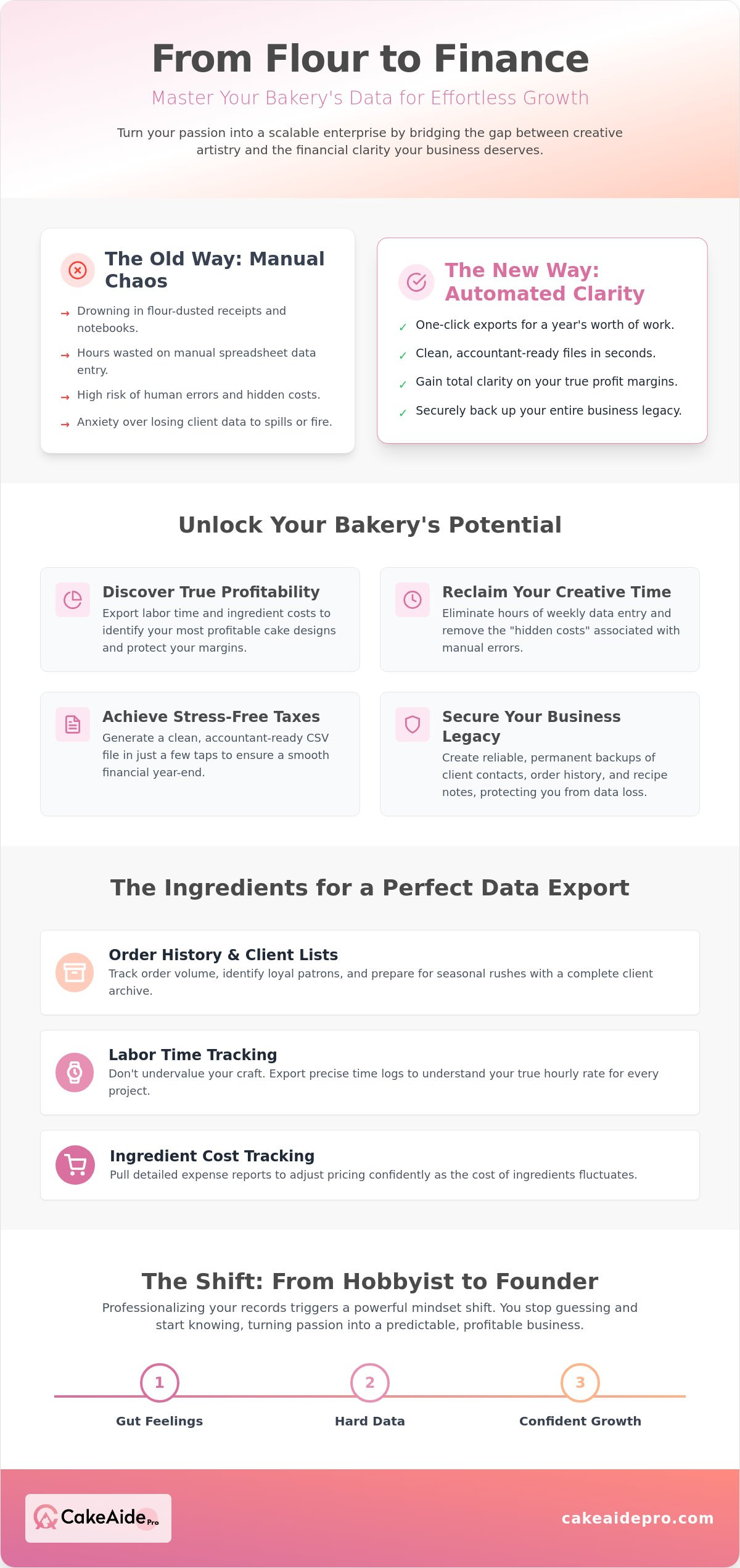
Stop treating your administrative records as a secondary thought. For many bakers, the true value of their business remains trapped inside flour-dusted notebooks or scattered digital messages. A professional bakery data export tool serves as the vital bridge between your daily creative work and the financial clarity required to scale. By utilizing a standard data export, you transform raw order information into a portable, structured format that your accountant or tax software can actually read. This isn't just about moving numbers; it's about giving your business the structural integrity it needs to grow beyond your home kitchen.
If you rely solely on manual entry, you risk missing the patterns that lead to higher profits. A reliable bakery data export tool ensures that you own your information, independent of any single platform or physical book. Digital portability allows you to take your data with you, whether you're switching accounting software or applying for a business loan in the future. It provides a level of professionalization that traditional methods simply cannot match, turning your historical order data into a roadmap for future expansion.
Protecting Your Creative Legacy with Digital Backups
Physical order books are a significant liability for any growing business. If a kitchen fire or a simple coffee spill occurs, years of client preferences, recipe adjustments, and order histories could vanish in an instant. Moving to digital exports prevents this catastrophic loss by creating a permanent, cloud-synced record of your professional journey. A single CSV file can house thousands of client birthdays and anniversary dates, ensuring you never lose the personal touch that makes your bakery special. This digital safety net provides the calm reliability you need to focus on your craft without the nagging fear of losing your records.
The Transition from Creative Hobbyist to Professional Founder
Professionalizing your records triggers a powerful psychological shift. When you begin to validate your growth through hard data rather than gut feelings, you stop acting like a hobbyist and start thinking like a founder. Clear records lead to more confident client interactions because you know exactly what your time and materials are worth. Choosing an Annual Subscription Plan supports this long-term professional mindset, signaling that you're committed to the structural health of your enterprise for the years ahead. This commitment to data management allows you to set realistic goals and celebrate the milestones that truly matter to your bottom line.
Identifying the Ingredients: Key Data Points to Export
To truly Manage your finances with the precision of a professional, you must look beyond your total monthly sales. A robust bakery data export tool allows you to extract the granular details that define your business's health. By capturing essential fields like order dates, client names, and specific cake flavors or designs, you create a searchable archive of your creative output. This data serves as more than just a record; it's the raw material you need to analyze which products are driving your success and which are simply taking up space in your oven.
Understanding your true profitability requires a deep dive into your costs. When you use a bakery data export tool to pull labor time logs and ingredient expenses, you gain the ability to adjust your pricing as inflation fluctuates. This level of detail ensures that your margins remain protected even when the price of butter or vanilla spikes. It's about moving from guesswork to a data-driven strategy that respects both your time and your talent.
Order History and Client Contact Lists
Repeat business is the lifeblood of any boutique bakery. Exporting your client lists allows you to identify your most loyal patrons and set up reminders for upcoming birthdays or anniversaries. This proactive approach is a cornerstone of an effective bakery CRM for small shops. By tracking order volume trends, you can accurately prepare for the seasonal intensity of wedding season or the December holiday rush. Linking client photos to specific order IDs in your export makes it effortless to reference past designs during a consultation, ensuring you always deliver exactly what the client expects.
Labour Time and Ingredient Cost Tracking
Don't undervalue the hours you spend at the decorating bench. The 'Pro Formula' for a successful export includes your labor time logs alongside your material costs to reveal your true hourly rate. If you aren't tracking the minutes spent on intricate sugar work, you're likely undercharging. Exporting these details through a bakery CRM for small shops allows you to compare store prices over time and identify which suppliers offer the best value. This methodical approach to record-keeping ensures that every minute you work contributes to your business's growth. To see how these insights can transform your workflow, consider starting a 7-Day Free Trial to explore these features firsthand.
Manual Spreadsheets vs. Dedicated Bakery Data Export Tools
Relying on manual spreadsheets often feels like an invisible drain on your creative energy. While a simple grid might work for your first few orders, the "hidden cost" of manual data entry quickly compounds as your business scales. If you're spending just two hours every Sunday evening typing out order details and ingredient costs, you're losing over 100 hours of potential baking or rest time every year. A dedicated bakery data export tool eliminates this friction by capturing data at the source, allowing you to reclaim your weekends for what truly matters.
Consider the friction of late-night bookkeeping after a grueling twelve-hour shift. When exhaustion sets in, it's incredibly easy to misplace a decimal point or overlook a line item in a manual log. These small human errors can lead to significant discrepancies in your annual profit reports, making it difficult to trust your own numbers. Dedicated tools provide a one-tap export solution that bypasses the need for repetitive typing, ensuring your records remain accurate even when you're tired.
Professionalism in the baking industry requires a standard approach to Recordkeeping that both you and your accountant can trust. The CSV format has emerged as the universal language for this exchange because it bridges the gap between different software platforms. By using a bakery data export tool to generate these files, you ensure that your financial story is told in a format that is ready for immediate analysis without the need for manual reformatting.
The Pitfalls of Manual Record Keeping
Letting your records pile up creates a psychological burden known as "admin debt." This stress often leads to rushed, inaccurate entries at the end of the financial year when the pressure to file is highest. Manual systems also lack the mobility required for a busy kitchen environment. A mobile-first app is far more practical for capturing costs with floury hands than a cumbersome laptop or a paper ledger that can easily be stained or lost in the heat of a production day.
Why CSV is the Industry Standard for Bakers
A CSV is a plain-text file that organizes data into a table format. This simple structure makes it compatible with nearly every major platform, including Excel, Google Sheets, and professional accounting software like Xero. Sharing your data becomes a seamless process; you can simply email the file to your tax professional without worrying about software compatibility. This ease of sharing reduces the back-and-forth communication often required during tax season, allowing for a much faster and more efficient filing process for your small business.
How to Export Your Bakery Data for Tax Season (Step-by-Step)
Tax season doesn't have to be a source of dread. By following a methodical progression, you can turn a mountain of paperwork into a single, polished file. Using a bakery data export tool ensures that every order from the previous year is accounted for with professional precision. This structured approach moves you away from the chaos of manual logs and toward a state of calm reliability, giving you total control over your financial narrative.
To ensure your records are accountant-ready, follow these five essential steps:
- Set your reporting period. For the 2026 tax year, you'll likely need data from January 1st to December 31st. If you file quarterly, adjust these dates to match the specific period required for your estimated payments.
- Finalize your logs. Before you click export, verify that all labor timers are stopped and every ingredient cost from your recent flour or butter purchases is recorded. This ensures your profit margins are reflected accurately in the final report.
- Trigger the CSV export. Locate the export function within your management tool. This one-tap action compiles your entire history into a universal format that bridges the gap between your kitchen and your accountant's office.
- Review for accuracy. Open the generated file to check for missing entries or typos. It's much easier to catch a forgotten delivery fee now than it is during a formal audit.
- Secure your backup. Save a copy of the export to a secure business cloud drive. This protects your creative legacy and provides a permanent "business reset" point should you ever need to restore your records.
Preparing Your Records for a Clean Export
Clean data starts with consistent habits. If you categorize your expenses correctly throughout the year, your final export will require very little manual adjustment. Maintaining a Monthly Subscription Plan allows you to keep your data current in real-time, preventing the stress of admin debt. Before you finalize the file, check that all client names are uniform and that your labor hours are logged against the correct order IDs. These small details ensure your bakery data export tool produces the most professional results possible.
Collaborating with Your Accountant Using CSV Data
Your accountant needs three primary categories: income, material expenses, and labor costs. Providing an organized CSV file makes their job significantly easier and can often reduce your professional accounting fees because they spend less time sorting your receipts. These digital records also serve as robust proof for tax deductions, ensuring you aren't leaving money on the table. When your accountant sees a professionally formatted report, it reinforces your status as a serious business founder. Ready to simplify your next tax filing? Start your 7-Day Free Trial today and experience the ease of professional data management.
Professionalize Your Admin with Cake Aide Pro
Transforming your administrative burden into a streamlined part of your creative process is the core mission of Cake Aide Pro. While we've discussed the theoretical importance of data, our bakery data export tool acts as the practical engine that drives your business forward. It serves as a silent partner, working in the background to capture every minute of labor and every penny of ingredient costs. By consolidating these disparate details into a single, professional interface, we help you transition from the stress of manual tracking to the confidence of data-driven leadership.
The true power of the platform lies in its seamless integration. Your work in the Quote Calculator doesn't just produce a price for a client; it simultaneously populates the fields for your next financial report. When you use the built-in labor timer to track a complex sugar flower arrangement, that data flows directly into your records. This interconnectedness ensures that your administrative tasks are never a separate, grueling chore, but rather a natural byproduct of your creative workflow. If you're ready to experience this level of organization, the 7-Day Free Trial offers the perfect business reset to audit your current margins and secure your creative legacy.
One-Tap CSV Exports for Tax and Backup
You don't need a technical degree to master your business records. Cake Aide Pro organizes your data automatically, allowing you to generate a professional CSV file with a single tap. This feature places your entire order book in your pocket, giving you the mobility to manage your enterprise from the kitchen, the delivery van, or the consultant's table. Because the tool handles the heavy lifting of categorization, your data is always ready for a tax professional or a personal business review without any additional reformatting on your part.
Integrating Data into Your Creative Workflow
Viewing your historical data allows you to price your work with newfound confidence and profitability. When you can see exactly which cake flavors are your top sellers and which designs require the most labor, you can make informed decisions about your menu. Use these statistical insights to decide which flavors to retire and which premium designs to promote more aggressively. This strategic approach ensures that every cake you bake contributes meaningfully to your growth. To take the next step in your professional journey, Start your 7-Day Free Trial and professionalize your bakery data today.
Elevate Your Bakery from Kitchen Craft to Professional Enterprise
Transitioning to a structured data strategy is the single most impactful step you can take to protect your creative energy. You've seen how a dedicated bakery data export tool replaces the friction of manual entry with the clarity of professional records. By capturing labor hours and material costs in real-time, you ensure that every cake you bake is a step toward sustainable growth rather than an invisible drain on your resources. Organized records don't just simplify your tax season; they provide the roadmap you need to scale with confidence.
Cake Aide Pro was designed by bakery industry professionals who understand that your time belongs at the decorating bench, not buried in spreadsheets. Our platform features a built-in labor timer for accurate profit tracking and a seamless CSV export specifically for tax and backup purposes. It's time to stop guessing and start leading your business with the precision it deserves. Take control of your bakery admin with a 7-Day Free Trial of Cake Aide Pro. You've built something beautiful with your hands; now, give it the professional foundation it needs to thrive.
Frequently Asked Questions
What is a CSV file and why do I need it for my bakery?
A CSV file stands for Comma Separated Values; it's a plain text file that organizes your information into a structured table format. You need it because it acts as a universal bridge between your baking software and other professional tools like Excel or Google Sheets. This format ensures that your creative records remain portable and accessible across any platform or device you choose to use.
Can I export my bakery data directly to my accountant?
You can easily share your data with an accountant by generating a CSV file and sending it via email or a secure portal. Most tax professionals prefer this digital format because they can import it directly into their auditing software without manual re-entry. This streamlined process reduces the time your accountant spends on administrative sorting, which often leads to lower professional fees for your business.
How often should I export my bakery records for backup?
Exporting your records at the end of every month or quarter is a best practice for maintaining a secure backup of your creative legacy. While the app stores your information safely, having a local copy provides an extra layer of protection against digital loss. Regular exports also ensure that your "business reset" points are always current, allowing you to review your growth trends more frequently throughout the year.
Will a bakery data export tool help me with my taxes?
A bakery data export tool simplifies tax season by automatically organizing your income and expenses into an accountant ready format. Instead of spending hours manually tallying receipts, you can generate a comprehensive report that highlights your taxable totals in seconds. This level of organization helps you identify all eligible deductions, ensuring you don't pay more in taxes than is absolutely necessary.
Does Cake Aide Pro export my labour time and ingredient costs?
Cake Aide Pro is specifically designed to include both your labor time logs and ingredient costs in every export. The information captured by the built-in timer and the quote calculator flows directly into your CSV file. This allows you to see exactly how much you're earning per hour and how fluctuating material costs are impacting your true profit margins over time.
What happens if I forget to track an order before exporting?
If you realize an order is missing or incorrect, simply update the details within the app and trigger a new export. The bakery data export tool pulls the most recent information from your database, so your files will always reflect your latest updates. It's a flexible system that allows you to maintain perfect records even when your kitchen schedule gets a little chaotic.
Is my exported data secure and private?
Your data is entirely private and secure; you retain full ownership of every record you create. When you generate an export, the resulting file is stored on your device or in your chosen cloud storage, giving you total control over who sees it. This local control ensures that your sensitive client contact lists and financial history remain protected according to your own security standards.
Can I open a bakery CSV file on my iPhone or Android device?
You can absolutely open a bakery CSV file on any modern smartphone or tablet using mobile apps like Google Sheets, Numbers, or Excel. This portability is incredibly useful for checking order details or client history while you're away from your desk. It ensures that your business records are always as mobile and flexible as your creative workflow requires.